Overview
The Save Game System in Advanced ARPG Combat is a basic mechanism that saves the player’s progress and allows it to be restored upon reloading the game. By default, this system is disabled and must be explicitly enabled by the developer. It is designed to save the game automatically under specific conditions, such as upon player death or resting at a bonfire.
Key Features
- Lightweight System: Focused on saving and loading player progress.
- Manual Enablement: Developers can control whether the system is active.
- Simple Save Conditions: Triggered during player death or rest at a bonfire.
- No Advanced Features: This system does not include autosave timer, multiple save slots, or cloud synchronization.
Blueprint Structure
The system revolves around three primary Blueprints:
-
SaveGameData Blueprint Class: Serves as the storage container for saved game data.
-
BP_AdvancedGameInstance: Implements core save and load functionalities via the BP_SaveGameInterface.
- Important properties:
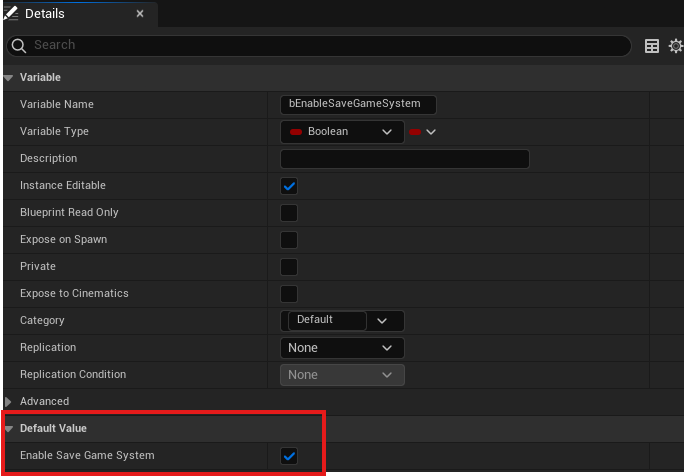
- bEnableSaveGameSystem (Boolean): Must be set to
trueto enable the system. - SaveSlotName (String): Customizable name for the save slot.
- bEnableSaveGameSystem (Boolean): Must be set to
- Important properties:
-
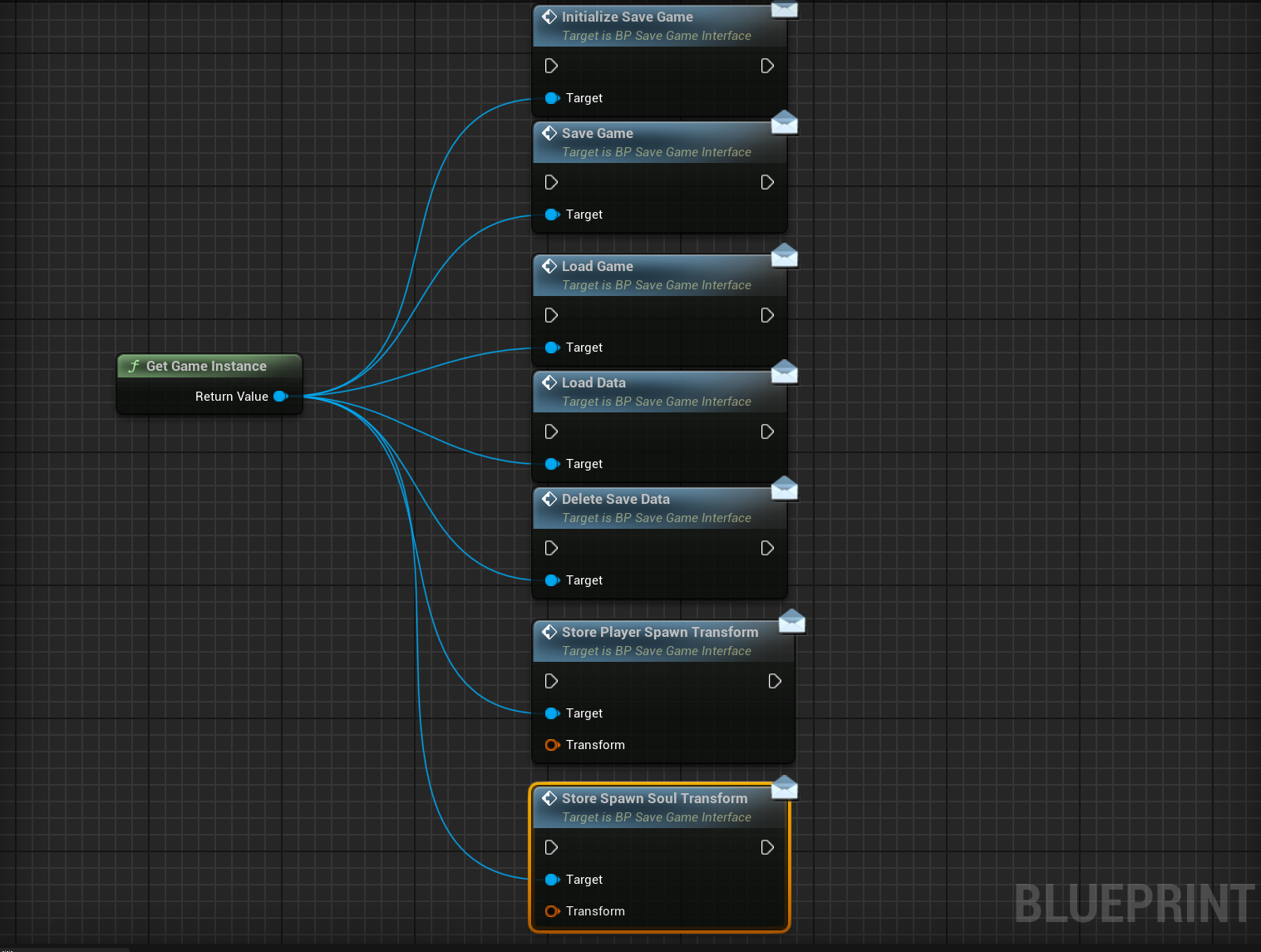
BP_SaveGameInterface: Defines key functions for saving and loading:
- InitializeSaveGame
- SaveGame
- LoadData
- LoadGame
- DeleteSaveData
- StorePlayerSpawnTransform
- StoreSpawnSoulTransform
Variables and Data
The Default saved data includes:
- Player inventory (
Inventoryarray) - Equipment slots (
Equipment Slotsarray) - Player attributes (
Attributesarray) - Combat enabled status
- Player start transform
- Spawned soul pickup transform
Usage
- Getting Started:
- Enable the system by setting
bEnableSaveGameSystemtotruein theBP_AdvancedGameInstance.
- Enable the system by setting
- Use the `BP_SaveGameInterface` functions to manage saving and loading as follows:
- **SaveGame:** Save the current game state.
- **LoadGame:** Load a previously saved game.
- **DeleteSaveData:** Delete the saved game data.
- **InitializeSaveGame:** Initialize the save game system.
- **LoadData:** Load saved data without affecting player locations.
2. Example:
- To save the game, get a reference to the Game Instance and call the SaveGame function.
- To load the game, call the LoadGame function in a similar manner.
Customization Options
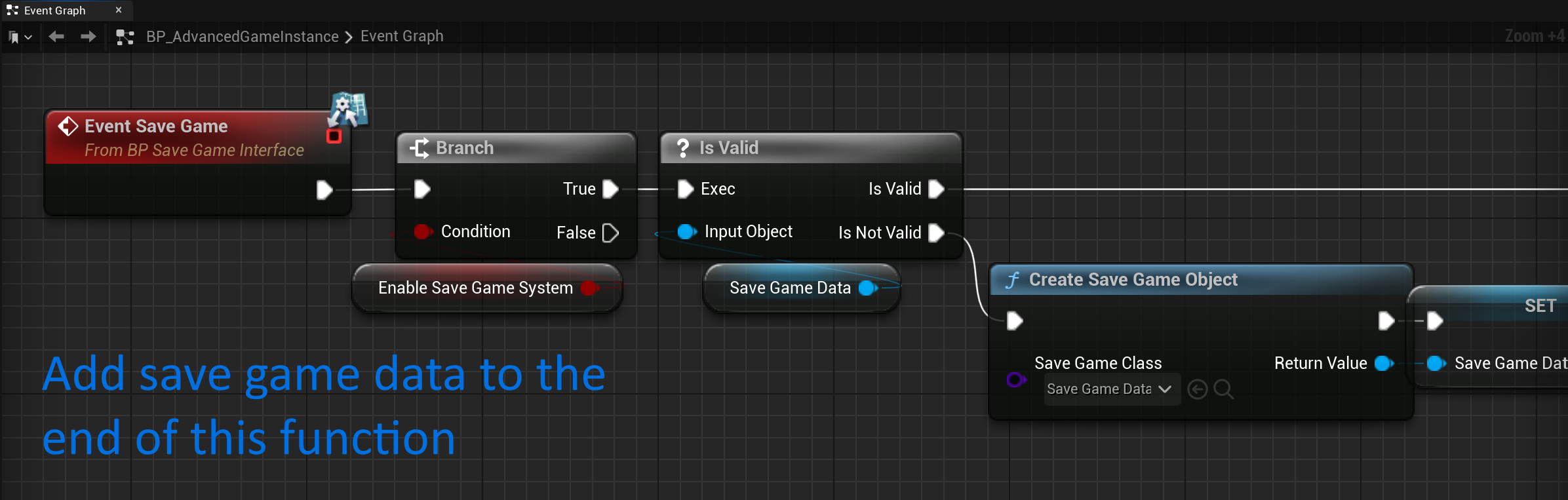
- Adding New Data:
- Add the desired variable in the
SaveGameDataBlueprint. - Update the
SaveGameevent inBP_AdvancedGameInstanceto store the data.
- Add the desired variable in the
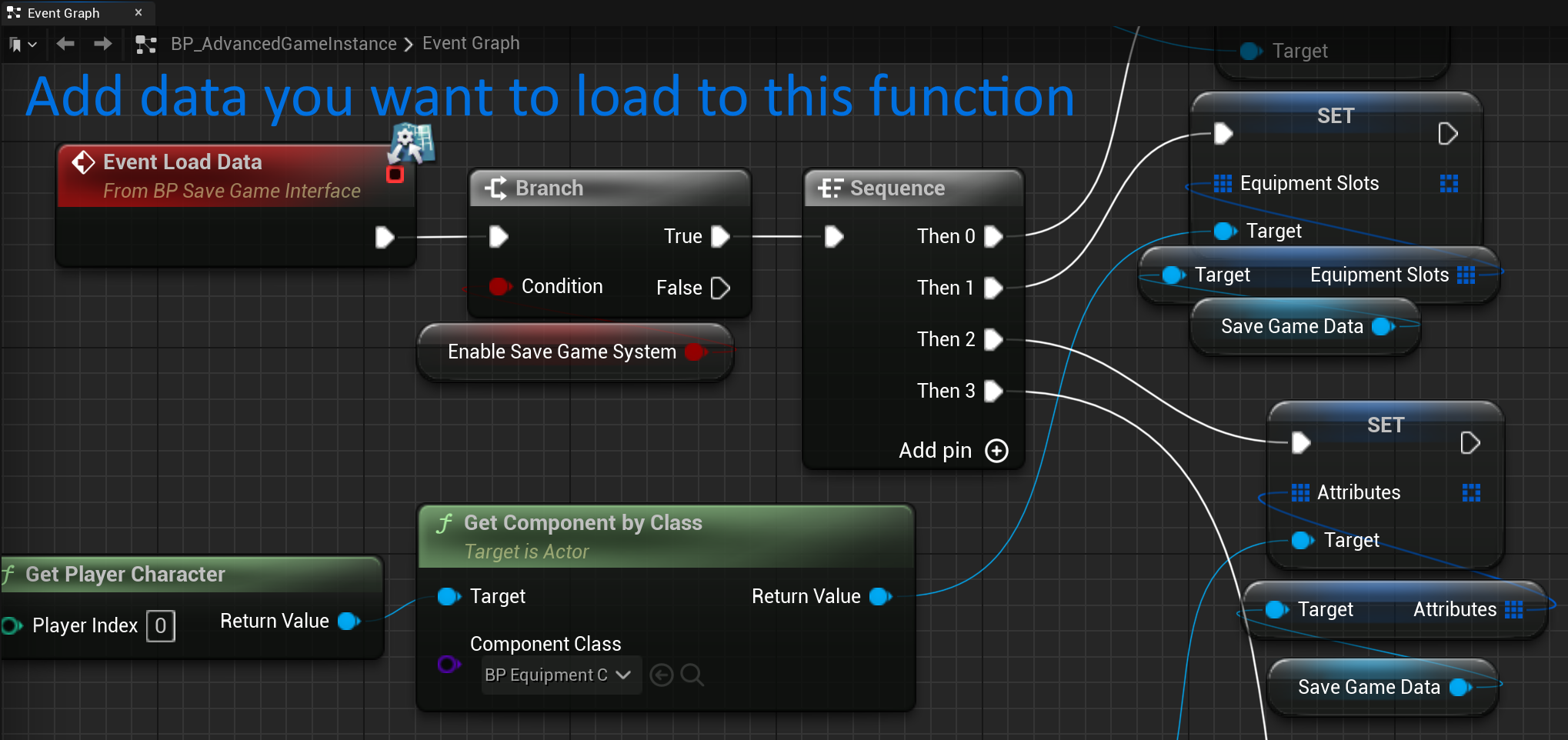
- Modify the `LoadData` event to retrieve and apply the data.
Setup Instructions
1. Enabling the System:
- Navigate to
BP_AdvancedGameInstanceand setbEnableSaveGameSystemtotrue.
2. Initialization:
- Automatically handled for included characters.
- For custom characters, call
InitializeSaveGamein the Game Mode.
3. Order of Initialization:
- Call
InitializeSaveGamebefore initializing combat system components. This ensures that saved data overrides default data during initialization.
Example Use Case
When a player is defeated by a boss, the system ensures that they respawn with the same inventory, equipment, attributes, and combat state they had before death.
Common Issues and Troubleshooting
1. Data Not Loading Correctly:
- Verify that
bEnableSaveGameSystemis set totrue. - Ensure
InitializeSaveGameis called on Begin Play in the Player Character. - Check the order of initialization;
InitializeSaveGamemust be called before component initialization. - Confirm that the
SaveGameobject name matches theSaveSlotNameinBP_AdvancedGameInstance.
Additional Notes
- The system is designed to be lightweight and customizable, making it easy to extend or adapt for specific game requirements.
- For advanced save game features like autosave or multiple slots, additional work would be required.